Save with one click on your desktop
If you use Chrome, the extension is the easiest way. Install it once and you are done.
Chrome extension
MemoryList
Save the page you are on with one click from the toolbar.
Free · Opens in the Chrome Web Store
If you can’t use the extension
Save with a bookmarks bar button
Use this if installs are blocked on a work computer, or if you are not on Chrome. What you get is exactly the same.
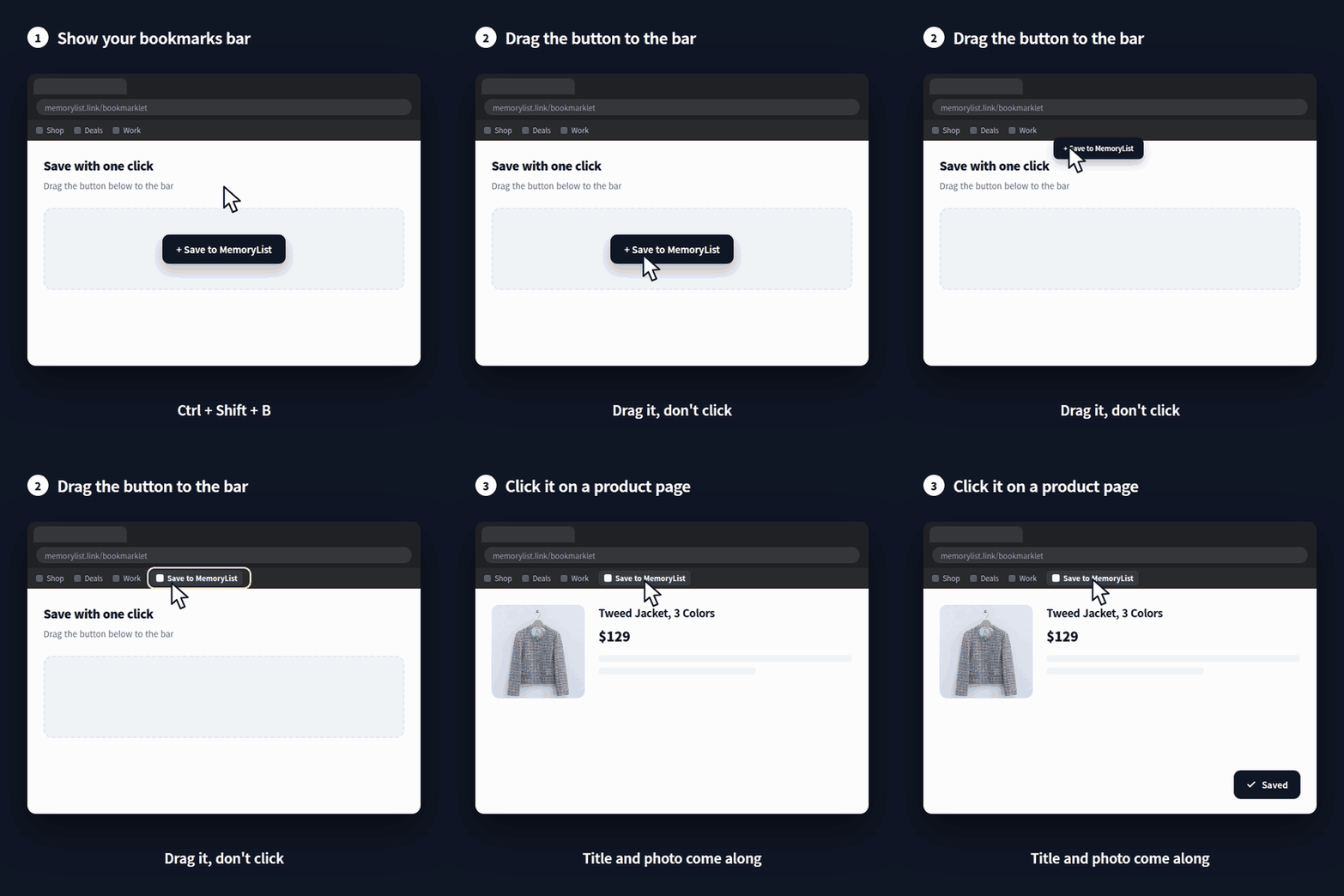
Here’s how it goes
- 1
Show your bookmarks bar
A thin row appears just under the address bar at the top of your browser.
Ctrl+Shift+BMac: ⌘⇧B - 2
Drag the button onto that row
Grab the button below and drag it upward. Let go and it settles into your bookmarks bar.
- 3
Click it on any page worth keeping
A shop, a blog post, anything — click the button in your bookmarks bar. A small window opens and closes on its own — that’s it.
- 4
Here’s what you get
The photo from that page is saved along with the title.
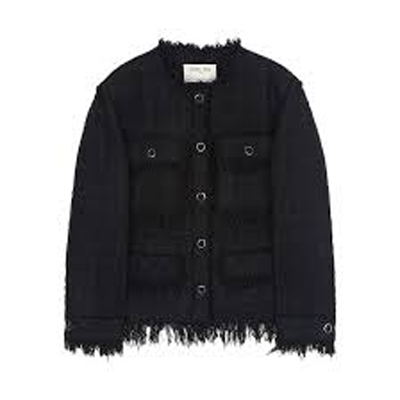
Tweed Jacket, 3 Colors
ssense.com
today 2026-08-27 14:20
Drag the button up to your bookmarks bar.
{var m=function(p){var e=document.querySelector('meta[property="'+p+'"]')||document.querySelector('meta[name="'+p+'"]');return (e&&e.content)||'';};var bad=['detailview','detail','untitled','product','products','상품상세','상품정보','상세보기','홈','home','main','index'];var ok=function(v){v=(v||'').replace(/\s+/g,' ').trim();return (v.length>2&&bad.indexOf(v.toLowerCase())<0)?v:'';};var h=document.querySelector('h1');var t=ok(m('og:title'))||ok(m('twitter:title'))||ok(h&&(h.innerText||h.textContent))||ok(document.title);t=t.slice(0,300);var s=m('og:image'),i='';if(!s){var best=0,list=document.images||[];for(var k=0;k<list.length;k++){var g=list[k];var w=g.naturalWidth||g.width||0,ht=g.naturalHeight||g.height||0;if(w<200||ht<200)continue;if(w>1600||ht>1600)continue;var r=w/ht;if(r<0.4||r>2.5)continue;var src=g.currentSrc||g.src||'';if(!/^https?:/i.test(src))continue;if(/\.svg(\?|$)/i.test(src))continue;if(/sprite|logo|icon|placeholder|blank|dummy/i.test(src))continue;var area=w*ht;if(area>best){best=area;s=src;}}}try{i=s?new URL(s,location.href).href.slice(0,1000):'';}catch(e){}var w2=window.open('','wishlist','width=400,height=300');var f=document.createElement('form');f.method='POST';f.action='https://memorylist.link/save/start';f.target='wishlist';var a=function(n,v){var x=document.createElement('input');x.type='hidden';x.name=n;x.value=v;f.appendChild(x);};a('u',location.href);a('t',t);a('img',i);document.body.appendChild(f);f.submit();document.body.removeChild(f);})();)